Etsy competitor research: export listings to a spreadsheet
See which Etsy listings rank, what they charge and how many reviews they have, all in one sortable table.
Add ClickScrape to Chrome, free →
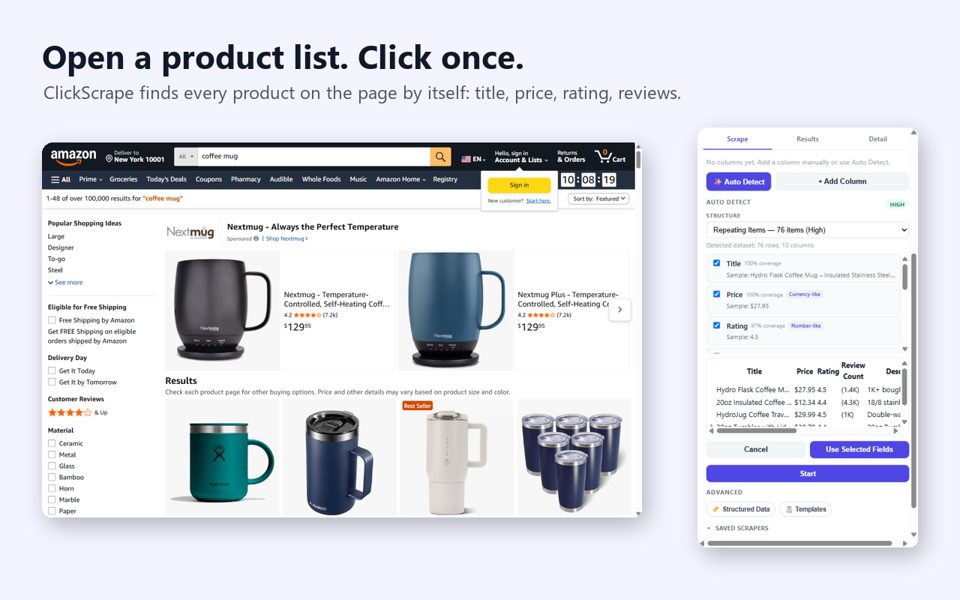
Step by step
- Install the ClickScrape Chrome extension (free, 10 runs).
- Run your Etsy search, or open a category or shop page. Filters and sorting work as usual.
- Click the ClickScrape icon in the toolbar. It analyses the page by itself and previews the columns it found with real values: title, price, rating, review count, image, link.
- Untick any column you don't need and press Start. Products from next pages and infinite scroll are added as you browse, duplicates skipped.
- Press Finish and choose Excel. The file comes with a frozen, filterable header row, ready to sort by price or reviews.
What to do with the sheet
Title and tag research
Pull the titles of top-ranking listings into a sheet; words that repeat are the words buyers search for.
Price range
Find where prices cluster in your niche. Selling print on demand? Compare supplier base costs on POD Pricing.
Shop tracking
Re-run a competitor shop with a saved template to spot new listings and price changes.
FAQ
Is this a replacement for eRank or EverBee?
ClickScrape does not estimate search volume; it exports the real data on the page (title, price, rating, reviews). It is a one-time payment instead of a monthly plan, and works alongside those tools.
Can I export a whole Etsy shop?
Yes. Open the shop page and follow the same steps; items are added as you move through the pages.
Is scraping Etsy allowed?
ClickScrape only reads publicly visible information on pages you open yourself. Follow each site's terms of use and do not collect personal data.
Add ClickScrape to Chrome, free →
Steps tested on October 22, 2026.