How to export Amazon search results to Excel
Turn an Amazon search into a spreadsheet of titles, prices, ratings and review counts for product research, pricing and competitor tracking.
Add ClickScrape to Chrome, free →
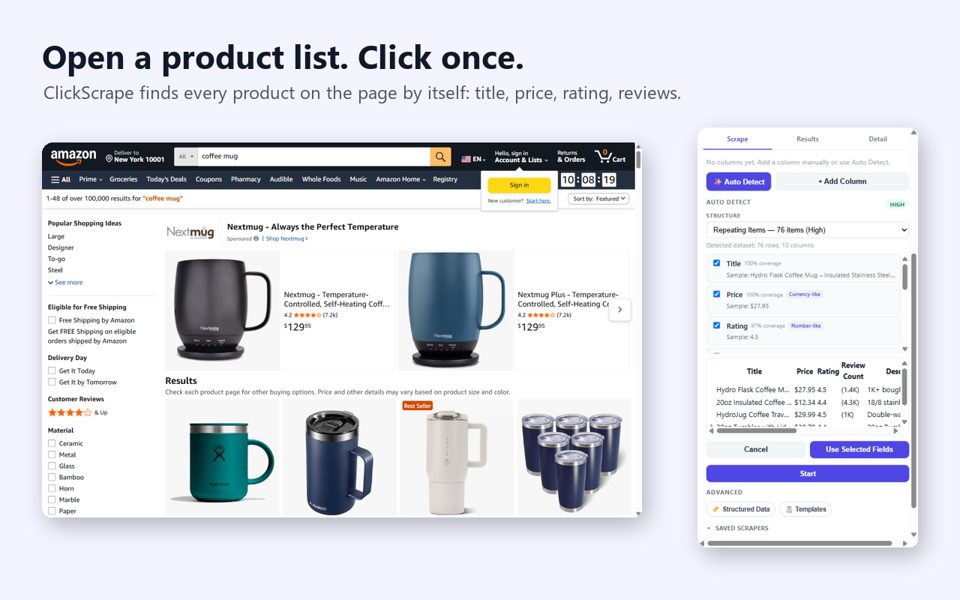
Step by step
- Install the ClickScrape Chrome extension (free, 10 runs).
- Run your Amazon search, or open a category or shop page. Filters and sorting work as usual.
- Click the ClickScrape icon in the toolbar. It analyses the page by itself and previews the columns it found with real values: title, price, rating, review count, image, link.
- Untick any column you don't need and press Start. Products from next pages and infinite scroll are added as you browse, duplicates skipped.
- Press Finish and choose Excel. The file comes with a frozen, filterable header row, ready to sort by price or reviews.
What to do with the sheet
Product research
Sort by review count to see what actually sells, then check the price range and ratings around it.
Pricing
See the cheapest, typical and premium prices in your niche before you set yours.
Competitor tracking
Save the setup as a template and re-run the same search weekly to catch price changes.
FAQ
Is it free to export Amazon results to Excel?
ClickScrape works 10 times for free with every feature. Unlimited use is a one-time $5.99, no subscription.
Can it collect more than one page?
Yes. After Start, next pages, numbered pages and infinite scroll are collected as you browse, with an optional page limit.
Does it send my data anywhere?
No. Scraped data stays on your computer and only goes into the file you download.
Add ClickScrape to Chrome, free →
Steps tested on October 22, 2026.